
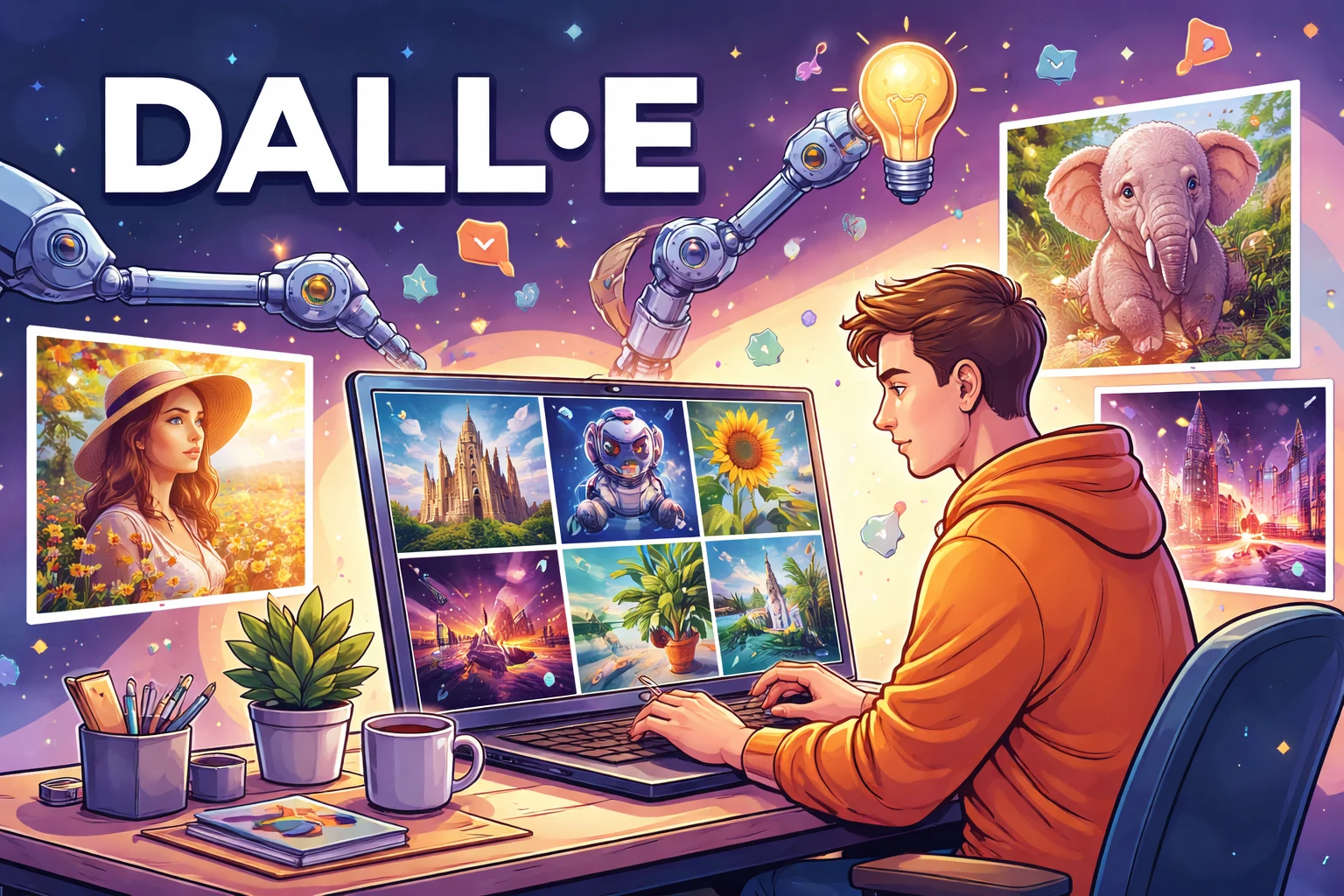
DALL·E AI Image Generator
DALL·E is an AI-powered image generation tool developed by OpenAI. It allows users to create high-quality images, illustrations, and artistic visuals from simple text prompts. DALL·E is widely used by designers, marketers, content creators, and anyone who needs fast, creative visuals.
What Is DALL·E?
DALL·E is an artificial intelligence model designed to generate images based on natural language descriptions. By understanding text prompts, DALL·E can create original visuals in a wide range of styles, including realistic photos, digital art, illustrations, and conceptual designs.
Unlike traditional design tools, DALL·E does not require drawing skills or complex software knowledge. Users simply describe what they want, and the AI generates multiple image options within seconds.
Key Features of DALL·E
DALL·E provides a powerful set of image generation tools that allow users to transform text ideas into high-quality visuals. Below are its core features, explained with practical examples to help you understand how DALL·E works in real-world scenarios.
Text-to-Image Generation
DALL·E can generate detailed images directly from text prompts. Whether the prompt is short and simple or highly descriptive, the model is capable of producing visually rich and creative results.
This feature is commonly used for concept art, creative exploration, marketing visuals, and content creation.
Example prompt:
A highly detailed futuristic city optimized for sustainability and technology. The city features sleek glass skyscrapers,
vertical gardens, solar panels integrated into buildings, clean energy infrastructure, autonomous flying vehicles,
and wide green spaces. Soft natural lighting, clear blue sky, ultra-realistic style, cinematic composition, high resolution.
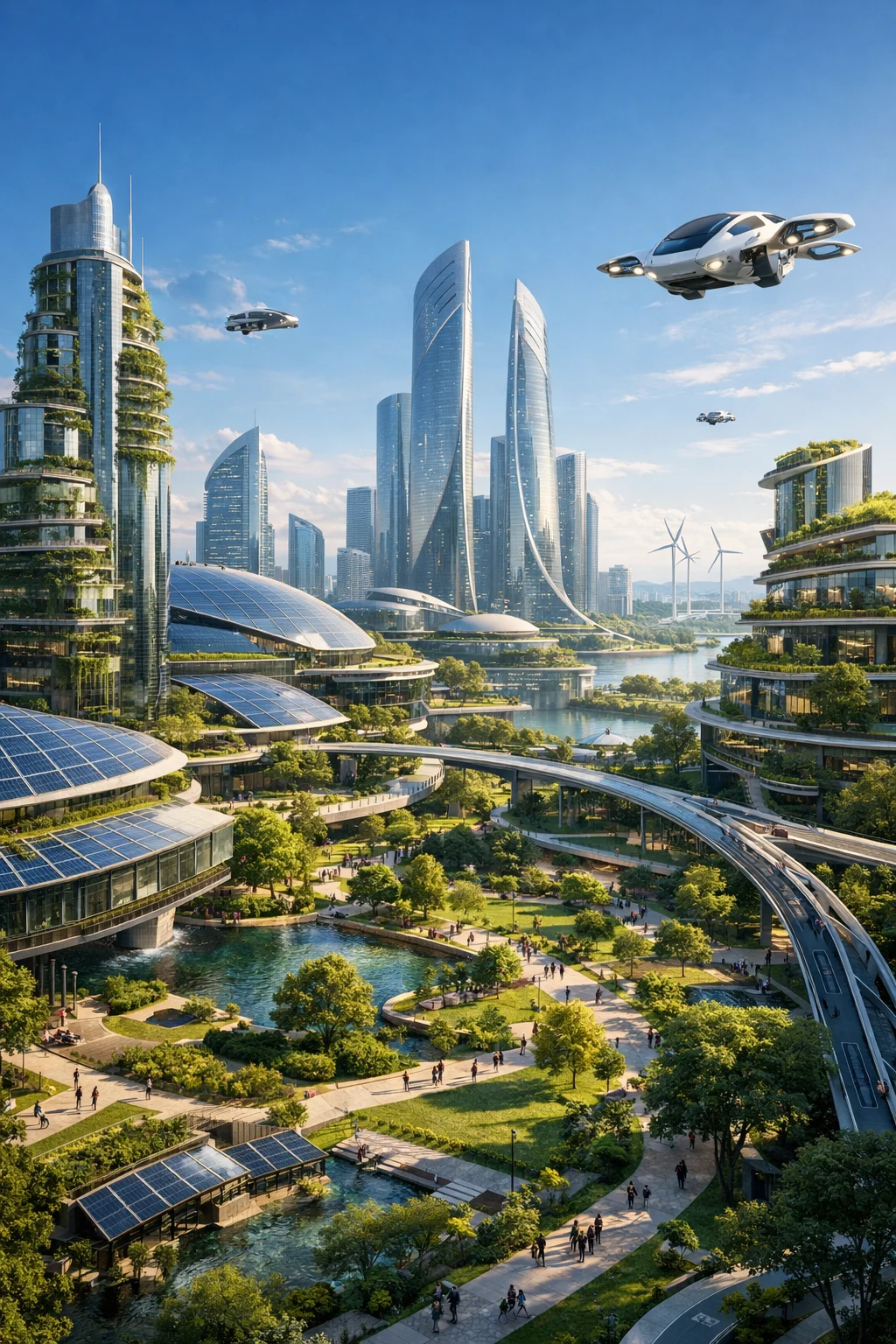
Image Editing and Inpainting
DALL·E allows users to edit existing images by selecting specific areas and describing what should be changed. This makes it easy to refine images without regenerating the entire scene.
Users can replace objects, adjust backgrounds, or add new elements while maintaining visual consistency.
- Remove unwanted objects
- Change backgrounds or environments
- Add new elements to an existing image
Image Variations
With the image variation feature, DALL·E can generate multiple alternative versions of a single image concept. This is useful when you want to explore different visual directions while keeping the core idea consistent.
Designers often use this feature to quickly compare compositions, color palettes, or stylistic approaches.
Multiple Art Styles
DALL·E supports a wide range of artistic styles, allowing the same prompt to be rendered in very different visual forms.
- Photorealistic imagery
- Cartoon and illustration styles
- Watercolor and painterly effects
- 3D and digital art styles
High-Quality Output
DALL·E is capable of producing images that meet professional quality standards. With well-structured prompts, users can generate clean compositions, consistent lighting, and visually balanced color palettes.
These outputs are suitable for use in marketing materials, websites, presentations, and social media content.
How to Use DALL·E in ChatGPT
DALL·E 3 is now fully integrated into ChatGPT, making AI image generation more accessible and intuitive than ever before. You no longer need to visit a separate DALL·E website or learn a new interface. Instead, you can generate, refine, and edit images directly within your ChatGPT conversations using natural language.
To get started, simply log in to your ChatGPT account and make sure you are using a plan that supports image generation. Once inside the chat interface, describe the image you want in clear, natural language. DALL·E understands both short prompts and highly detailed descriptions, allowing you to control style, mood, lighting, composition, and level of realism.
For example, instead of using technical keywords, you can write prompts such as: “Create a modern SaaS dashboard illustration with a clean UI, soft gradients, and a professional tech aesthetic.” ChatGPT will interpret your request and generate images that closely match your intent, often with impressive visual accuracy.
One major advantage of using DALL·E inside ChatGPT is the ability to iterate conversationally. After an image is generated, you can ask for adjustments like changing colors, improving realism, modifying backgrounds, or switching art styles. This back-and-forth workflow feels more like working with a creative assistant than using a traditional image tool.
DALL·E also supports image editing and variations. You can upload an existing image and request specific changes, such as replacing objects, adjusting layouts, or enhancing visual details. This is especially useful for marketers, designers, and content creators who want fast visual iterations without starting from scratch.
Once you are satisfied with the result, you can download the generated image and use it for websites, blog posts, presentations, social media, or marketing materials. The output quality is suitable for professional use, making DALL·E a powerful tool for both creative exploration and real-world projects.
Overall, using DALL·E through ChatGPT combines AI image generation with conversational guidance, making the entire creative process faster, simpler, and more flexible—even for users with no design background.
DALL·E Prompt Writing Tips
Writing effective prompts is the key to getting high-quality results from DALL·E. While the model can understand short instructions, well-structured and descriptive prompts consistently produce more accurate, visually appealing, and usable images. Think of a prompt as a creative brief rather than a list of keywords.
The first principle is specificity. Clearly describe the main subject, environment, colors, and important visual elements. Vague prompts often lead to generic outputs, while detailed prompts help DALL·E understand your exact intent. For example, instead of writing “a city”, try: “a modern coastal city with glass skyscrapers, palm trees along wide streets, and soft sunlight reflecting off the ocean.” This level of detail gives the model a clear visual direction.
Adding style keywords is another powerful technique. DALL·E supports a wide range of visual styles, including realistic photography, digital illustration, 3D render, watercolor, and cinematic concept art. By specifying the style, you reduce randomness and increase consistency across multiple generations. For example: “a minimalist product illustration in a flat design style, clean lines, soft pastel colors, suitable for a SaaS landing page.” This helps ensure the image matches your brand or design system.
Lighting, mood, and perspective details significantly impact the final result. These elements control how professional or emotional an image feels. Including phrases such as “soft natural lighting,” “dramatic shadows,” “wide-angle perspective,” or “top-down view” allows you to shape the composition more precisely. For instance: “a cozy home office at night, warm ambient lighting, shallow depth of field, realistic photography style.” This creates a clear atmosphere that feels intentional rather than random.
Using complete sentences instead of fragmented keywords also improves results.
Full sentences provide context and relationships between objects, which helps DALL·E interpret complex scenes.
Compare the following two prompts:
“futuristic city, green, technology”
versus
“A futuristic city designed around sustainability, featuring green rooftops, integrated solar panels, autonomous transportation, and clean energy infrastructure.”
The second prompt clearly communicates how the elements relate to each other.
One major benefit of well-written prompts is faster iteration. When your initial prompt is clear, you spend less time regenerating images and more time refining small details. This is especially valuable for marketing teams, designers, and content creators working on deadlines. Clear prompts also make it easier to request follow-up changes, such as adjusting colors, replacing objects, or switching styles, without losing the original concept.
In practice, strong prompts lead to more predictable results, higher visual quality, and images that are easier to use in real projects. By treating prompt writing as a structured skill rather than trial and error, you can turn DALL·E into a reliable creative tool for websites, presentations, ads, and social media content.
DALL·E Use Cases
DALL·E is a versatile AI image generation tool that supports a wide range of creative and commercial applications. From visual design to marketing and product development, it helps users turn abstract ideas into high-quality visuals quickly and efficiently.
Graphic Design
For graphic designers, DALL·E can be used to create custom illustrations, icons, and visual concepts during the early design phase. Designers can generate multiple visual directions from a single idea, explore different styles, and use the results as references or starting points. This significantly reduces concept development time and helps communicate ideas to clients or stakeholders more clearly.
Marketing
Marketing teams use DALL·E to design eye-catching visuals for social media posts, digital advertisements, landing pages, and email campaigns. By generating images that match specific campaign themes, tones, and audiences, marketers can quickly test creative variations without relying on stock photos. This flexibility allows for faster experimentation and more consistent brand messaging across channels.
Content Creation
Content creators and bloggers rely on DALL·E to generate featured images, in-article visuals, and video thumbnails. Instead of searching through stock libraries, creators can produce unique images tailored to each piece of content. This not only improves visual consistency but also helps content stand out in search results and social feeds.
Product Mockups
DALL·E is useful for visualizing product ideas before investing in physical prototypes. Entrepreneurs and product teams can generate mockups of packaging, consumer products, or interface concepts to evaluate design directions. These visuals can be used for internal reviews, pitch decks, or early marketing materials, helping teams validate ideas faster.
Creative Inspiration
Beyond practical use cases, DALL·E serves as a powerful tool for creative exploration. Artists, writers, and designers use it to experiment with styles, themes, and visual narratives. By generating unexpected combinations and concepts, DALL·E can spark new ideas and help overcome creative blocks.
Pros and Cons of DALL·E
Like any AI image generation tool, DALL·E comes with both strengths and limitations. Understanding these pros and cons can help users decide whether it is the right solution for their specific needs, especially when compared with other popular tools such as Midjourney, Stable Diffusion, and Adobe Firefly.
Pros
Easy to use with no design experience required
One of DALL·E’s biggest advantages is its accessibility.
Integrated directly into ChatGPT, users can generate images through natural conversation without learning complex interfaces or technical settings.
Compared to Stable Diffusion, which often requires model selection, parameter tuning, or local setup, DALL·E offers a much lower learning curve for beginners and non-designers.
Fast image generation
DALL·E generates images quickly, making it suitable for rapid ideation and iteration.
This speed is especially useful for marketers and content creators who need visuals on short timelines.
While Midjourney also produces high-quality images, it typically requires multiple prompt refinements through Discord commands, whereas DALL·E feels more direct and streamlined.
High-quality and creative results
The output quality of DALL·E is consistently strong, particularly for concept art, illustrations, and marketing visuals.
It excels at understanding abstract ideas and turning them into visually coherent images.
For users who prioritize creativity and versatility over technical control, DALL·E often delivers more predictable results than open-source alternatives.
Strong understanding of natural language prompts
DALL·E stands out for its ability to interpret detailed, conversational prompts.
Users can describe scenes, styles, and emotions in plain English, and the model generally understands the intent without heavy prompt engineering.
This is an area where DALL·E often feels more intuitive than Midjourney, which relies more on prompt syntax and stylistic keywords.
Cons
Advanced features may require paid access
While basic image generation is accessible through ChatGPT, extended usage and higher output volumes may require a paid plan.
This can be a limitation for users who generate large numbers of images regularly.
In contrast, Stable Diffusion can be run locally for free, although it requires more technical expertise and hardware resources.
Results depend heavily on prompt quality
Although DALL·E understands natural language well, vague or poorly structured prompts can still lead to generic results.
Users who invest time in learning prompt writing techniques will see significantly better outcomes.
This learning curve is shared across most AI image tools, but DALL·E’s simplicity may initially hide how important prompt quality really is.
Limited control compared to professional design software
DALL·E is not a replacement for tools like Photoshop, Illustrator, or advanced 3D software.
Users have less control over fine details, layers, and precise composition.
Compared to Stable Diffusion’s advanced customization options or Adobe Firefly’s deeper integration with professional design workflows, DALL·E focuses more on speed and accessibility than granular control.
DALL·E Alternatives
While DALL·E is a powerful and easy-to-use AI image generator, different tools may be better suited for specific creative needs. Below are some of the most popular alternatives, each with its own strengths.
Midjourney
Midjourney is well known for producing highly artistic, cinematic, and visually striking images. It is especially popular among digital artists, illustrators, and concept designers who prioritize style and aesthetics over realism.
Midjourney works primarily through Discord, where users generate images using text prompts and refine results through iterative commands. While it has a learning curve, the visual quality often stands out compared to other AI image generators.
Best for: Artistic visuals, fantasy art, cinematic scenes, creative inspiration
Official website:
https://www.midjourney.com
Stable Diffusion
Stable Diffusion is an open-source AI image generation model that offers extensive customization and control. Unlike most cloud-based tools, it can be run locally on your own hardware or accessed through various online platforms.
This flexibility makes Stable Diffusion a favorite among developers, advanced users, and creators who want full control over image styles, models, and generation parameters.
Best for: Advanced users, developers, custom workflows, local image generation
Official website:
https://stability.ai
Adobe Firefly
Adobe Firefly is Adobe’s AI image generation and creative tool, designed to integrate seamlessly with products like Photoshop and Illustrator. It focuses on commercial safety and professional design workflows.
Firefly is particularly appealing to designers and businesses already using Adobe Creative Cloud, as it allows AI-generated content to fit naturally into existing design processes.
Best for: Professional designers, commercial projects, Adobe users
Official website:
https://www.adobe.com/sensei/generative-ai/firefly.html
Frequently Asked Questions
1. What is DALL·E?
DALL·E is an AI image generator developed by OpenAI that creates images from natural language text prompts.
2. Is DALL·E free to use?
DALL·E offers limited free access, but most users will need paid credits or a subscription for regular or high-quality image generation.
3. Can I use DALL·E images for commercial purposes?
Yes, images generated with DALL·E can generally be used for commercial purposes, subject to OpenAI’s current usage policies.
4. What types of images can DALL·E generate?
DALL·E can generate realistic photos, digital art, illustrations, concept designs, and creative visuals in many different styles.
5. How do I write better prompts for DALL·E?
Use clear and detailed descriptions, include style references, lighting details, and specify the mood or perspective when possible.
6. Does DALL·E support image editing?
Yes, DALL·E allows users to edit existing images by modifying specific areas and generating new variations.
7. What image resolution does DALL·E support?
DALL·E supports multiple image resolutions, with higher-quality outputs typically available on paid plans.
8. How is DALL·E different from Midjourney or Stable Diffusion?
DALL·E focuses on strong text understanding and ease of use, while other tools may offer more artistic control or customization options.
9. Do I need design skills to use DALL·E?
No design experience is required. DALL·E is designed for beginners and professionals alike.
10. Is DALL·E suitable for businesses and marketers?
Yes, DALL·E is widely used by businesses for marketing visuals, social media content, product mockups, and creative campaigns.
Recommended Reading
Explore more AI tools and guides related to image generation, creativity, and visual design.
-
Best AI Image Generators
A curated list of the most powerful AI image generation tools for designers and creators. -
Midjourney AI Image Generator
An in-depth look at Midjourney, known for its artistic and cinematic image styles. -
Stable Diffusion
Learn how Stable Diffusion offers flexible and open-source AI image generation. -
Adobe Firefly AI
Discover Adobe’s AI-powered image and creative design tools.
Try DALL·E Today
If you’re looking for an easy and powerful way to generate AI images from text, DALL·E is one of the best tools available. It’s ideal for creators, businesses, and anyone who wants to turn ideas into visuals quickly.
Visit Official DALL·E Website →