
ChatGPT vs. Microsoft Copilot:
Same Brain, Different Bodies (2026)
⏱️ Read Time: 8 Min •
🛡️ Reviewed by AIWisePicks Editors
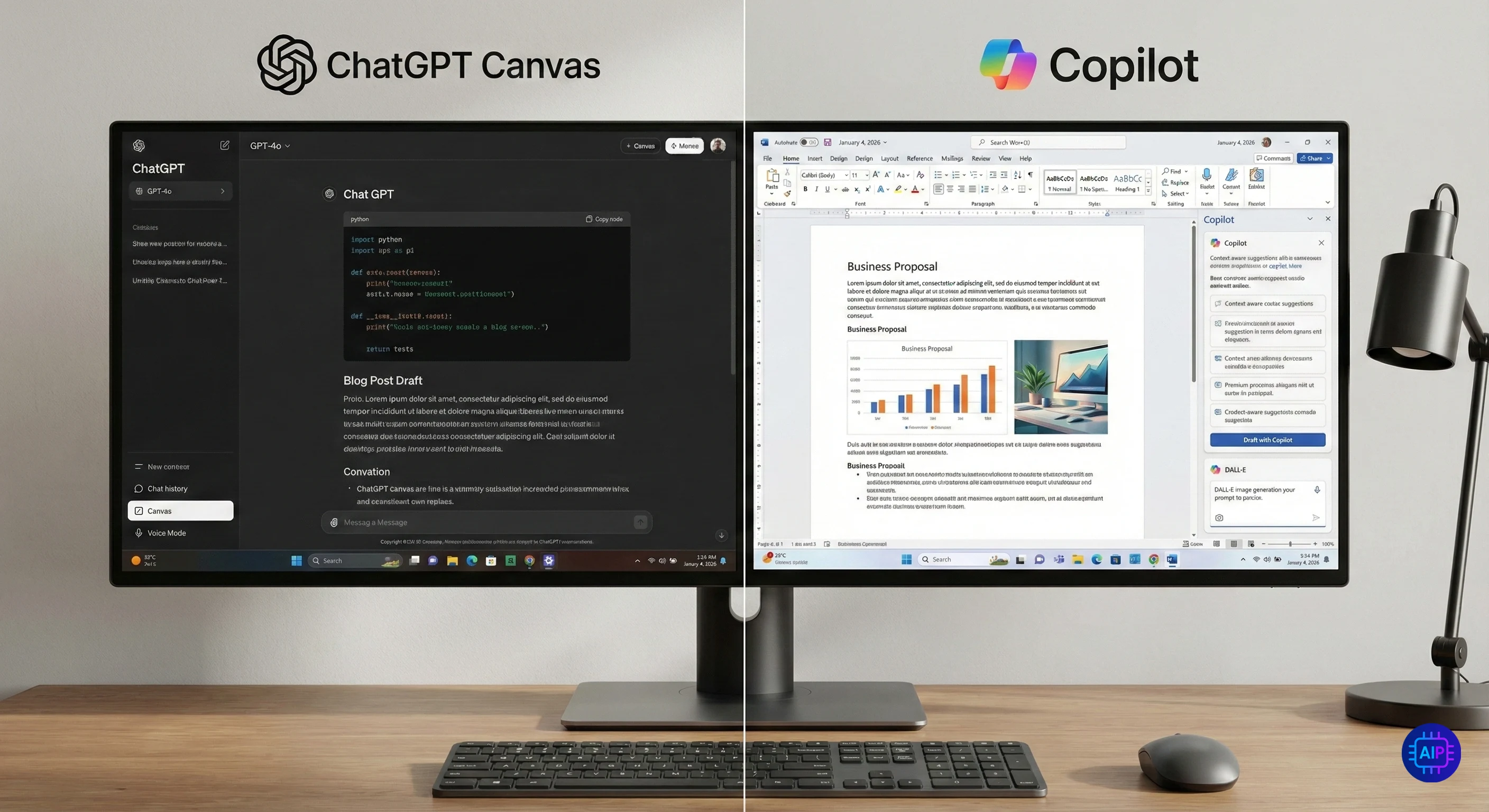
It is the ultimate sibling rivalry. Both ChatGPT and Microsoft Copilot are powered by the same underlying engine—OpenAI’s GPT-4o.
On paper, they should be identical. In reality, they are worlds apart.
In 2026, the choice isn’t just about “intelligence” anymore. It’s about workflow.
Do you need a creative partner to help you code and write (ChatGPT)? Or do you need an assistant that lives inside your Word docs and Excel sheets (Copilot)?
We tested both Paid and Free versions for 30 days. Here is the definitive verdict.
⚡ The Quick Verdict (TL;DR)
- Choose ChatGPT if: You are a coder, writer, or creative who needs the best conversational experience, “Canvas” workspace, and natural voice mode.
- Choose Microsoft Copilot if: You live in Microsoft 365 (Word/Excel/PPT), need free access to DALL-E 3 images, or prefer a search-engine-style assistant.
- On a Budget? Copilot’s Free Plan is currently more generous with GPT-4 access than ChatGPT’s free tier.
📊 At A Glance: The 2026 Specs
| Feature | ChatGPT (OpenAI) | Copilot (Microsoft) |
|---|---|---|
| Core Model | GPT-4o (Standard) + o1-preview (Plus only) |
GPT-4o (Standard) + Balanced/Creative Modes |
| Web Search | SearchGPT (Direct Answers) | Bing Search (Heavy Citations) |
| Ecosystem | Independent (Web/App) | Integrated (Word, Excel, Windows) |
| Image Gen | DALL-E 3 (Limited on Free) | DALL-E 3 (Uncapped on Free) |
| Best UI Feature | “Canvas” (Split-screen editing) | “Sidebar” (In-app assistance) |
| Price | Free / $20 Plus | Free / $20 Pro |
Creativity & Reasoning
If you want to write a novel or debug complex Python code, who wins? Both use GPT-4o, but OpenAI has tuned ChatGPT to be more “conversational,” while Microsoft has tuned Copilot to be “factual” (and safe).
🤖 ChatGPT
The “Canvas” Advantage: In late 2025, OpenAI launched “Canvas,” a dedicated interface for coding and writing. It allows you to highlight specific sections of text/code and ask for targeted edits without regenerating the whole response.
Tone: More fluid, human-like, and willing to take creative risks.
💻 Copilot
The Safety Net: Copilot is stricter. It often refuses creative prompts that it deems “controversial” or “unsafe” more aggressively than ChatGPT.
Logic: Excellent for factual queries, but the constant Bing searching can sometimes interrupt the flow of a creative brainstorming session.
For pure writing and coding tasks, the new “Canvas” interface makes ChatGPT significantly superior to Copilot’s chat box.
Productivity & Workflow
This is where Microsoft flexes its muscles. While ChatGPT is a destination (you have to go to it), Copilot comes to you.
- 📝 In Word: Copilot can draft an entire proposal based on a few bullet points directly inside your document. No copy-pasting required.
- 📊 In Excel: This is a game-changer. You can ask Copilot to “Highlight trends in revenue” or “Create a pivot table,” and it executes the command. ChatGPT requires you to upload the file first; Copilot just sees it.
- 🖼️ In PowerPoint: “Create a 10-slide deck about AI trends.” Copilot builds the slides, adds layouts, and inserts images in seconds.
If you work in an office, Copilot is unbeatable. It eliminates the friction of switching tabs.
The Free Plan Battle
Most users don’t pay. So, who gives you more for $0?
ChatGPT Free
- Access to GPT-4o (Limited)
- Limited File Uploads
- Strict Limits: After ~10-15 messages, it downgrades you to GPT-4o Mini (dumber model).
Copilot Free
- Access to GPT-4 (Generous)
- Free DALL-E 3: Generate high-quality images for free (ChatGPT Free does not do this).
- No Downgrade: It keeps using the high-end model, just slower.
For free users, Microsoft is subsidizing the cost to win market share. Getting free DALL-E 3 and consistent GPT-4 access is a huge deal.
🏁 The Final Verdict
Get ChatGPT Plus if…
✅ You are a Developer or Writer.
✅ You need the Canvas UI for long projects.
✅ You want the most natural Voice Mode.
✅ You use Custom GPTs for specific tasks.
Get Copilot Pro if…
✅ You live inside Word, Excel, & PowerPoint.
✅ You want DALL-E 3 images for free.
✅ You prefer a Search-based assistant.
✅ You need Enterprise-grade data security.
Still exploring options? Don’t miss our review of the 11 Best Free AI Tools or see how ChatGPT compares to Google Gemini.
🙋 Frequently Asked Questions
Does Microsoft Copilot use GPT-4?
Yes. Microsoft is a major investor in OpenAI, so Copilot uses the exact same GPT-4 and GPT-4o models as ChatGPT. However, Microsoft adds its own “Prometheus” layer for search and safety.
Is Copilot Pro included in Microsoft 365?
No. Copilot Pro is a separate $20/month add-on for personal users. However, for Enterprise (Business) users, it is often available as an add-on to their E3/E5 licenses.
Which is better for coding: ChatGPT or Copilot?
ChatGPT is generally better for coding due to its “Canvas” interface and specialized coding capabilities. However, there is a separate tool called “GitHub Copilot” which is industry-standard for developers inside VS Code.