A digital illustration showing an AI assistant helping with code generation on a laptop, glowing in blue and purple tones, representing best free AI coding tools for developers.

25+ Best Free AI Coding Tools for Developers & Students – No Cost Required (2025 Guide)

Artificial Intelligence is transforming the way developers write, debug, and understand code. From intelligent autocompletion to real-time error detection, AI coding assistants are no longer a luxury—they’re becoming an everyday necessity. But here’s the good news: you don’t need to spend a fortune to access them.

In this guide, we’ll explore 25 of the best free AI coding tools available today. Whether you’re a student learning your first programming language, a hobbyist building side projects, or a professional developer seeking productivity boosts without extra cost, there’s a tool here for you.

Before we dive into the individual tools, let’s pause for a moment and consider an important question: why should you even care about free AI coding tools in the first place? That’s exactly what we’ll cover next.

Why Free AI Coding Tools Matter

In the previous section, we asked why developers should pay attention to free AI coding assistants. The answer is simple: these tools can completely reshape the way you approach programming, and they do so without adding financial pressure.

For students and beginners, free AI tools mean an accessible way to learn faster. Instead of spending hours debugging or searching Stack Overflow, you can get instant suggestions and explanations directly in your editor. For professional developers, free tiers allow you to test the latest technology, boost productivity, and decide whether premium upgrades are worth the investment.

Beyond saving time and money, free AI coding tools also encourage experimentation and creativity. You can try new frameworks, explore languages you’ve never coded in before, and build prototypes at record speed— all without worrying about subscription costs.

Of course, not every free tool is created equal. Some are open-source projects maintained by the community, while others are commercial products offering generous free plans. So how did we decide which ones to include? Let’s look at our selection criteria next.

How We Selected These Tools

Now that we understand why free AI coding tools are worth exploring, the next question is: how do we decide which ones truly belong on this list? With so many options available, it’s important to filter out the hype and focus on tools that deliver real value.

For this guide, we applied a clear set of criteria:

  • Genuine Free Access: Each tool must have a usable free plan, open-source license, or education program—not just a temporary trial.
  • Developer-Friendly: The tools need to integrate smoothly into popular IDEs like VS Code, JetBrains, or work reliably in the browser.
  • Practical Features: We prioritized tools that go beyond gimmicks—offering real coding help such as autocompletion, bug detection, or natural language explanations.
  • Community & Reliability: Preference was given to tools with active development, documentation, and user communities, so you won’t be left stranded.

By sticking to these standards, we’ve assembled a balanced list of tools: from big-tech solutions backed by industry giants, to open-source projects powered by passionate developer communities.

With the groundwork set, let’s dive into the tools themselves—starting with one of the most widely recognized names in this space: GitHub Copilot.

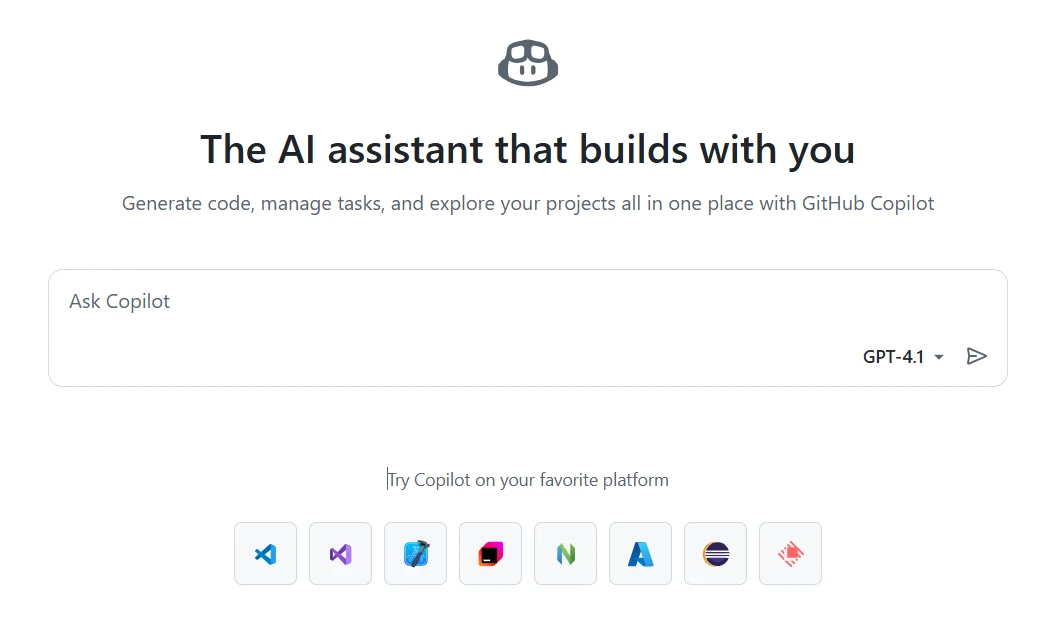
1. GitHub Copilot (Free for Students & Open-Source Maintainers)

When it comes to AI-assisted coding, GitHub Copilot is often the first tool developers think of. Built on OpenAI’s Codex model and deeply integrated into VS Code, Visual Studio, and JetBrains IDEs, Copilot can suggest entire lines of code, generate functions from comments, and help you navigate new frameworks with ease.

While Copilot is a paid subscription service, GitHub offers it free of charge to verified students through GitHub Education, as well as to maintainers of popular open-source projects. This makes it one of the most generous AI perks available in the developer ecosystem.

Pros: Seamless IDE integration, strong community adoption, and high-quality code suggestions across dozens of languages. Cons: Requires an internet connection, doesn’t run locally, and free access is limited to students or OSS contributors.

For anyone eligible, GitHub Copilot is arguably the best place to start exploring AI coding assistants. But what if you’re not a student or open-source maintainer? Don’t worry—our next tool, Codeium, offers a completely free alternative for everyone.

2. Codeium

If GitHub Copilot feels a bit out of reach because you’re not a student or an open-source maintainer, then Codeium is the tool you’ll want to look at next. Unlike Copilot, Codeium is completely free for individual developers—no education status or special verification required.

Codeium provides fast, AI-powered autocompletion across 70+ programming languages and works inside popular editors including VS Code, JetBrains, Jupyter, and even browser-based IDEs. It’s lightweight and responsive, designed to minimize latency so that suggestions feel natural while you type.

Pros: 100% free for personal use, broad IDE support, and strong language coverage. Cons: Cloud-based by default, so it lacks the offline privacy options some developers might prefer.

For anyone looking for a powerful AI coding assistant without worrying about eligibility requirements, Codeium stands out as one of the most accessible choices available today. Next, let’s look at another free option that emphasizes privacy and local control: Tabnine.

3. Tabnine

Tabnine Dashboard (Screenshot)

Tabnine AI code completion dashboard screenshot
A quick look at the Tabnine dashboard and code completion settings.

While Codeium focuses on accessibility and ease of use, Tabnine takes a different approach by putting privacy and local control at the center of its design. Tabnine offers real-time code completions inside popular IDEs such as VS Code, IntelliJ, and Sublime Text, but what makes it unique is the ability to run its AI models locally on your machine.

This feature is a big advantage for developers working with sensitive or proprietary codebases. Instead of sending your data to the cloud, Tabnine processes everything locally, ensuring compliance with strict privacy or security requirements. The free plan is generous enough for individual developers, covering common coding scenarios and offering smooth autocompletion.

Pros: Local model support, strong privacy controls, and broad IDE compatibility. Cons: The free plan is somewhat limited compared to its Pro version, and offline models may not be as advanced as cloud-based AI engines.

For developers who prioritize security over cloud convenience, Tabnine is a natural choice. Next, we’ll move from local-first solutions to one backed by a major cloud provider: Amazon CodeWhisperer.

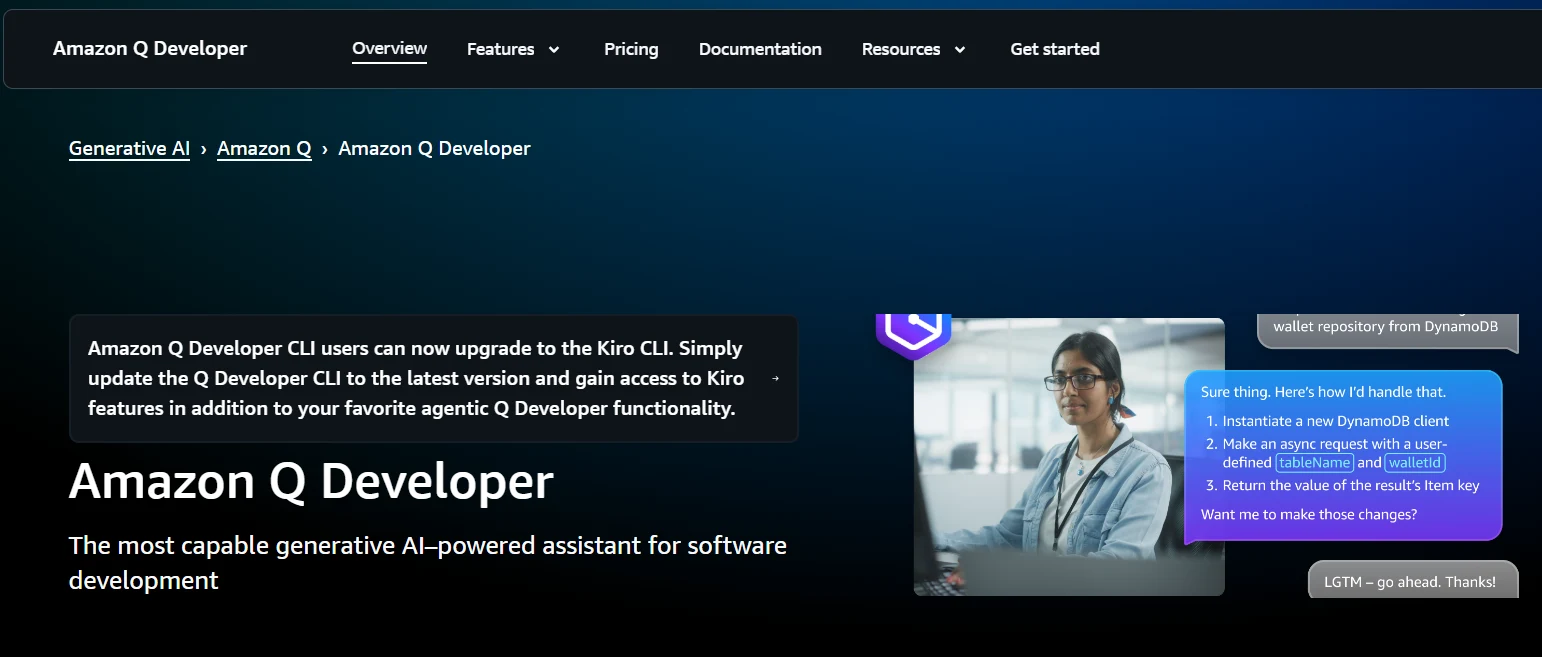
4. Amazon CodeWhisperer

After looking at Tabnine’s privacy-first approach, let’s turn to a solution from one of the biggest names in cloud computing: Amazon CodeWhisperer. Designed with AWS developers in mind, CodeWhisperer provides intelligent, context-aware code suggestions across multiple programming languages, and integrates seamlessly with popular IDEs like VS Code, JetBrains, and AWS Cloud9.

What makes CodeWhisperer especially appealing is its Individual Tier, which is completely free. It includes unlimited real-time code suggestions and up to 50 automated security scans per month, helping developers catch vulnerabilities early in the development process. For anyone building cloud-native applications or working within the AWS ecosystem, this is a highly practical advantage.

Pros: Strong AWS integration, built-in security scanning, and full free access for individuals. Cons: Less useful if you don’t work with AWS services, and lacks the offline privacy features of tools like Tabnine.

For developers already in the cloud or planning to build scalable applications, CodeWhisperer offers a powerful, no-cost option. Up next, we’ll explore a newer entrant that reimagines the coding editor itself: Cursor.

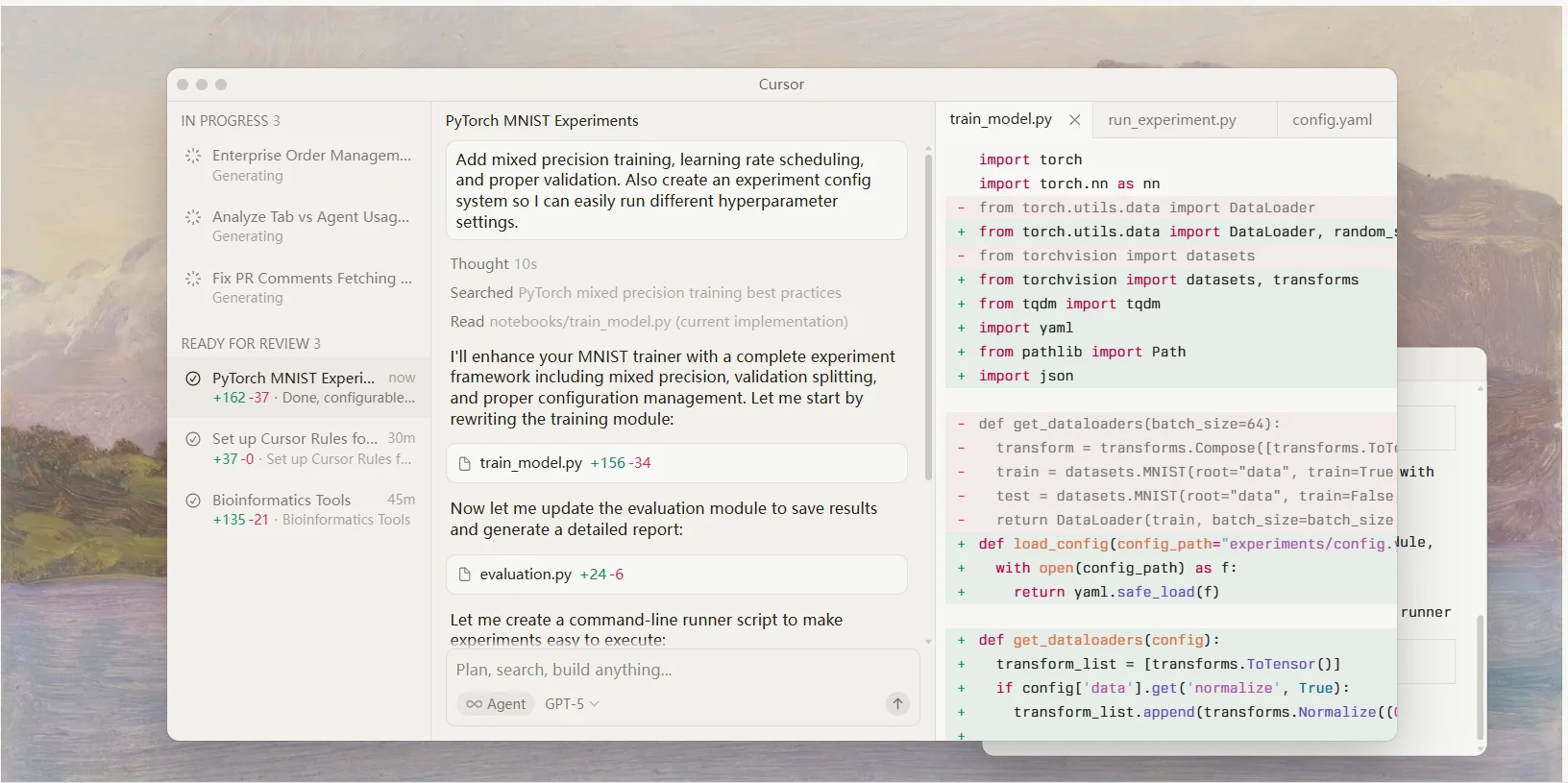
5. Cursor

Cursor IDE (Screenshot)

Cursor AI-powered code editor interface with chat, inline suggestions, and command palette
A quick look at the Cursor IDE—AI chat, inline code suggestions, and commands.

While Amazon CodeWhisperer enhances existing IDEs, Cursor takes a bold step by reimagining the coding environment itself. Built on top of Visual Studio Code, Cursor looks familiar at first glance, but under the hood it’s been supercharged with AI capabilities powered by GPT-4. Instead of just autocompleting snippets, Cursor can analyze entire files, suggest inline bug fixes, and even explain sections of code in plain English.

The free tier of Cursor offers daily usage quotas, making it ideal for solo developers, students, or anyone curious about integrating AI directly into their coding workflow. Because it’s a full editor and not just an extension, Cursor feels like having an AI pair programmer built right into your development environment.

Pros: GPT-4 integration, context-aware code assistance, and a modernized editor experience. Cons: Free plan has strict usage limits, and heavy users may need to upgrade to continue working seamlessly.

If you’ve ever wished your IDE could proactively help you debug and learn as you code, Cursor is a strong contender. But what if you prefer to code entirely in the browser, with built-in collaboration features? That’s where Replit Ghostwriter comes in.

6. Replit Ghostwriter

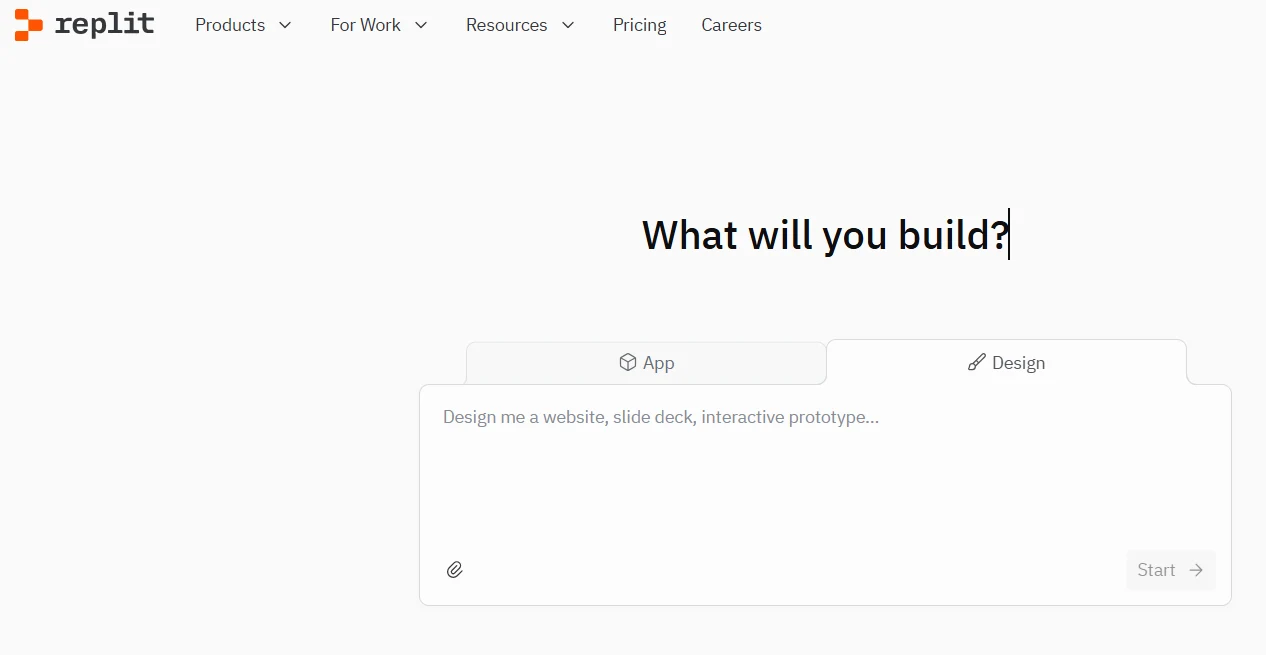
While Cursor transforms your desktop coding experience, Replit Ghostwriter brings the power of AI directly to the browser. Built into the popular Replit online IDE, Ghostwriter is designed for real-time, collaborative coding. You can write, run, and debug code entirely in the cloud, while Ghostwriter provides AI-powered completions, error fixes, and even natural language explanations.

What sets Replit apart is accessibility. Anyone with an internet connection can start coding without installing software, making it a favorite among students, hackathon participants, and open-source communities. While Ghostwriter is usually a paid feature, Replit often grants free access through education programs, community tiers, and special events—so keep an eye out if you’re a learner or part of a coding community.

Pros: Browser-based access, instant collaboration, and strong educational support. Cons: Free availability depends on program eligibility, and performance can vary with internet connectivity.

For those who value teamwork and quick setup, Ghostwriter is an excellent choice. But if your priority is getting fast, straightforward answers to coding questions in plain English, the next tool—Phind—is worth a closer look.

7. Phind

If Replit Ghostwriter shines in collaborative coding, Phind stands out as a fast, question-and-answer style AI assistant tailored specifically for developers. Instead of typing complex search queries or digging through documentation, you can simply ask Phind in plain English (or your preferred language), and it will return concise explanations, code snippets, and even debugging tips.

Unlike many AI tools, Phind focuses less on autocompletion and more on direct knowledge retrieval. It’s excellent for solving “How do I…?” questions, understanding unfamiliar APIs, or quickly learning new frameworks. Best of all, it’s completely free to use—no login required— which makes it one of the most accessible AI helpers available.

Pros: Instant answers, no registration barrier, and highly relevant developer-focused responses. Cons: Limited in-editor integration compared to tools like Copilot or Tabnine, and not designed for continuous autocompletion.

If you’re the type of developer who values quick answers over inline assistance, Phind can save hours of searching. Next, we’ll shift gears to another open-source project that brings AI coding help directly into your IDE: Continue.

8. Continue (Open-Source Copilot Alternative)

While Phind is perfect for quick answers outside of your editor, Continue brings AI assistance directly into your coding workflow. Continue is an open-source extension for VS Code that positions itself as a free and transparent alternative to GitHub Copilot. Instead of relying solely on proprietary models, it supports Hugging Face models and local deployments, giving developers more flexibility and control.

Because Continue is open-source, developers can customize and extend it to match their workflows. You can run it against local models to keep your code private, or connect it to larger cloud-based LLMs if you prefer maximum performance. This makes it especially attractive to developers who want transparency or who work in environments where sending code to external servers isn’t allowed.

Pros: 100% free, open-source, and customizable with support for local models. Cons: Requires some setup to unlock its full potential, and features may lag behind premium commercial tools.

Continue is a great reminder that the AI coding space isn’t limited to big tech companies. Speaking of bridging accessibility with enterprise-level features, let’s move on to a tool built for handling large codebases at scale: Sourcegraph Cody.

9. Sourcegraph Cody

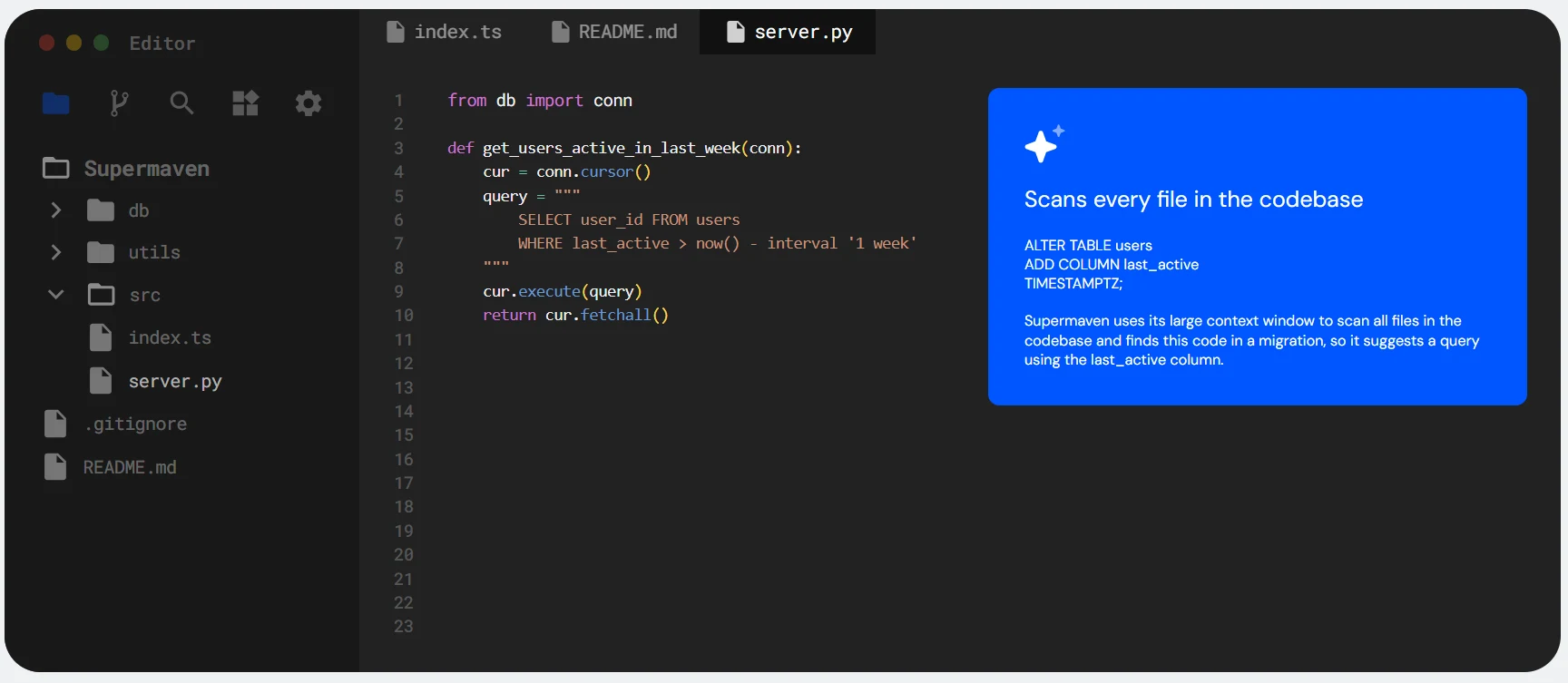
If Continue shows how open-source tools can empower individuals, Sourcegraph Cody demonstrates how AI can scale to meet the needs of developers working on massive codebases. Built by Sourcegraph, a company known for its powerful code search, Cody combines AI-driven suggestions with deep project context, allowing you to ask questions and get answers based on your entire repository.

The free tier of Cody includes generous usage limits, giving individual developers access to advanced context-aware completions, code navigation, and explanations. It’s especially valuable in large teams or open-source projects, where understanding a complex codebase quickly can save hours of digging through files.

Pros: Excellent at handling large projects, integrates with Sourcegraph’s code search, and offers a practical free plan. Cons: Geared more toward bigger projects, so it may feel like overkill for smaller personal repos.

If your work involves navigating huge codebases or contributing to complex projects, Cody can be a game-changer. Next, let’s shift gears and look at a free AI coding assistant that’s part of Google’s ecosystem: Gemini Code Assistant.

10. Google Gemini Code Assistant

After exploring how Cody helps with large-scale repositories, it’s worth looking at a tool backed by another tech giant: Google Gemini Code Assistant. Available through platforms like Google Colab and AI Studio, Gemini provides developers with smart code completions, debugging suggestions, and natural language explanations—all within Google’s cloud ecosystem.

For students and researchers, the biggest advantage is accessibility. Google Colab already offers a free environment for running Python code in the cloud, and with Gemini integration, users can get AI-powered coding support without needing to install anything locally. This makes it ideal for learning, prototyping, or experimenting with data science projects.

Pros: Free to use in Colab, tightly integrated with Google’s tools, and excellent for data science and machine learning workflows. Cons: Primarily focused on Python, and performance depends on internet access.

Gemini shows how AI coding assistants are expanding into educational and research spaces. But what if you’re looking for a more general-purpose AI that’s widely known and free to use? That brings us to ChatGPT Free.

11. ChatGPT Free (GPT-3.5)

While Google Gemini is tightly integrated into Colab and research workflows, ChatGPT Free offers something broader: a versatile AI assistant that anyone can access for general-purpose coding help. Powered by OpenAI’s GPT-3.5 model, the free version of ChatGPT can generate code snippets, explain algorithms, assist with debugging, and even provide step-by-step tutorials for beginners.

One of ChatGPT’s biggest strengths is its conversational interface. Instead of searching documentation or writing complex queries, you can simply describe your problem in natural language and get human-like explanations or working code in seconds. This makes it especially useful for students learning programming concepts or developers experimenting with new frameworks.

Pros: Widely available, intuitive to use, and capable of assisting with a wide range of programming languages. Cons: Limited to GPT-3.5 in the free tier, with no direct IDE integration and occasional inaccuracies in complex code.

For quick coding help or learning on a budget, ChatGPT Free is hard to beat. But if you’d like more control over prompts and model behavior, the OpenAI Playground is the next tool to explore.

12. OpenAI Playground

If ChatGPT Free is perfect for quick, conversational problem-solving, the OpenAI Playground takes things a step further by giving you more control and flexibility. The Playground is a browser-based interface where developers can experiment with different OpenAI models, adjust parameters like temperature or max tokens, and fine-tune prompts for more tailored results.

For coding tasks, this means you can directly test how models respond to different instructions—whether generating functions, translating pseudocode into code, or reformatting an existing script. New users often receive free credits when signing up, making it possible to explore the Playground without upfront costs. While not a traditional IDE assistant, it’s a valuable learning lab for anyone curious about how prompt engineering influences output.

Pros: High customization, direct model access, and free credits for new users. Cons: Not integrated with coding editors, and requires some experimentation to get optimal results.

The Playground is best suited for developers who enjoy experimenting and want to understand how AI models behave under the hood. Next, let’s move from a sandbox environment to tools designed for privacy-conscious developers: TabbyML.

13. TabbyML

TabbyML (Screenshot)

TabbyML self-hosted AI code completion dashboard screenshot
A quick look at the TabbyML dashboard and model settings.

While the OpenAI Playground is great for experimentation in the cloud, some developers prefer full control over their coding environment. That’s where TabbyML comes in. TabbyML is an open-source, self-hosted AI coding assistant that you can run locally, giving you maximum privacy and transparency without depending on external servers.

With TabbyML, you can integrate AI-powered autocomplete directly into editors like VS Code while keeping your source code safely on your own infrastructure. It supports multiple programming languages and is designed for developers who need to protect sensitive data or comply with strict security requirements. Because it’s open source, you can also customize and extend its capabilities to match your team’s specific workflow.

Pros: 100% open-source, self-hosted, and privacy-first. Cons: Requires more setup and maintenance compared to plug-and-play tools.

If you value transparency and data ownership, TabbyML is one of the best options available. Next, we’ll look at another research-driven project that pushes the boundaries of open-source AI coding: Polycoder.

14.Polycoder

If TabbyML shows how open-source tools can be self-hosted for privacy, Polycoder highlights what’s possible in the world of research-driven AI coding models. Developed by researchers at Carnegie Mellon University, Polycoder is one of the first large language models trained primarily on source code rather than general text, making it particularly adept at generating structured, syntactically correct code.

Polycoder supports multiple programming languages and is freely available for academic and research use. Unlike commercial tools, its main purpose isn’t polished integration or user experience, but rather advancing the science of code generation and helping developers experiment with how domain-specific training can improve results.

Pros: Open-source, research-grade, and optimized for code-focused training. Cons: Less user-friendly, limited documentation, and not as production-ready as tools like Copilot or Codeium.

For developers and researchers curious about the future of AI coding beyond commercial products, Polycoder provides a fascinating glimpse into what specialized models can achieve. Next, we’ll move from academic projects to a practical assistant focused on SQL and data workflows: Cogram.

15. Cogram

While Polycoder represents the research side of AI coding, Cogram is built for practical, everyday use—especially in the world of SQL queries and data workflows. Designed to help data scientists, analysts, and engineers, Cogram allows users to describe what they want in plain English, and it automatically generates SQL queries or Python code to get the job done.

One of Cogram’s biggest advantages is its ability to integrate directly into popular tools like Jupyter Notebooks and business intelligence platforms. For teams dealing with large datasets, this reduces the friction of writing complex queries and helps both technical and non-technical users collaborate more effectively. Academic users may also benefit from free or discounted access through education programs.

Pros: Excellent for SQL automation, plain language input, and productivity in data-heavy workflows. Cons: Focused primarily on SQL and analytics—less useful for general-purpose software development.

If your projects involve databases or data pipelines, Cogram can save countless hours. Next, let’s explore another free and multilingual coding model that’s gaining traction in the open-source community: CodeGeeX.

16. CodeGeeX

After looking at Cogram’s strength in SQL and data workflows, let’s turn to CodeGeeX, an open-source, multilingual AI coding model designed to help developers across a wide variety of programming languages. Unlike some assistants that focus primarily on English and Python, CodeGeeX was trained on diverse code and natural language datasets, making it especially valuable for global teams and polyglot programmers.

CodeGeeX integrates with editors like VS Code and offers features such as code autocompletion, translation between programming languages, and smart suggestions based on context. Because it is open-source, developers can experiment freely, customize the model, and even host it locally for privacy-sensitive projects.

Pros: Multilingual support, open-source availability, and flexibility for both individuals and teams. Cons: Setup can be more technical, and results may vary compared to polished commercial tools.

CodeGeeX is a great reminder that AI coding support isn’t limited to English speakers or major proprietary platforms. Next, we’ll explore another cornerstone of the open-source AI ecosystem: Hugging Face Transformers.

17. Hugging Face Transformers

If CodeGeeX shows how multilingual AI coding can support diverse communities, Hugging Face Transformers represents the broader foundation of open-source AI development. Rather than being a single coding assistant, Transformers is a library of pre-trained models—including many optimized for natural language and code generation. Developers can choose from thousands of models on the Hugging Face Hub and fine-tune them for their specific coding needs.

For programming, Hugging Face provides models trained on large code datasets, enabling autocomplete, bug detection, and even language-to-code translation. Because it’s fully open-source, you can run these models locally, deploy them in your own cloud, or integrate them into projects using APIs. This flexibility makes Transformers a powerful resource for anyone who wants to build custom AI coding solutions.

Pros: Massive library of models, flexible deployment, and strong community support. Cons: Requires setup and ML knowledge, so it’s not as plug-and-play as tools like Codeium or Copilot.

Hugging Face Transformers empowers developers who want to go beyond out-of-the-box assistants and create tailored AI solutions. Next, we’ll look at a tool that, while no longer actively developed, remains influential and still useful to many: Kite.

18. Kite

After exploring the flexibility of Hugging Face Transformers, it’s worth looking back at one of the earliest AI coding assistants: Kite. Before tools like Copilot and Codeium became mainstream, Kite was pioneering AI-powered code completions, integrating directly with IDEs such as VS Code, PyCharm, and Atom.

Although Kite officially discontinued active development in 2022, its free desktop client and plugins are still available for use by many developers. It’s especially handy for Python, where Kite offered intelligent autocompletion and documentation lookups. For learners, Kite was often the first introduction to what an AI assistant could do inside an IDE.

Pros: Early innovator, smooth IDE integration, and strong Python support. Cons: No longer actively updated, which means limited support for new frameworks or languages.

While Kite may not represent the future of AI coding, it remains a milestone in the evolution of developer tools. Next, we’ll examine a more modern solution that focuses on AI-powered static code analysis: DeepCode.

19. DeepCode

If Kite represented the early days of AI autocomplete, DeepCode showcases how AI can go beyond writing code to analyzing it for quality and security. Acquired by Snyk in 2020, DeepCode applies machine learning to perform static code analysis, reviewing your codebase and suggesting fixes for potential bugs, vulnerabilities, and maintainability issues.

The free edition of DeepCode is particularly useful for individual developers and small teams. By connecting it to repositories on GitHub, GitLab, or Bitbucket, you can receive AI-powered insights automatically on pull requests. Instead of waiting for issues to appear in production, DeepCode highlights them early in the development cycle, saving both time and resources.

Pros: Strong at bug detection, free for open-source projects, and integrates seamlessly with version control systems. Cons: Less focused on autocomplete, and more limited for advanced features compared to paid Snyk offerings.

DeepCode shows that AI coding tools are not only about generating code, but also about improving its safety and reliability. Next, we’ll highlight three different use cases—students, professionals, and open-source enthusiasts—by grouping the best free tools for each category.

20. StarCoder / StarCoder2

After looking at DeepCode’s static analysis approach, it’s worth returning to the frontier of large-scale AI models built specifically for coding. StarCoder and its successor StarCoder2, developed by Hugging Face and the BigCode project, are open-source large language models trained on billions of lines of code across 80+ programming languages.

What makes StarCoder stand out is its transparency and reproducibility: the dataset, training process, and model weights are openly available, making it an excellent choice for researchers and developers who want to fine-tune or self-host code LLMs. StarCoder2 in particular has improved context length, performance on reasoning tasks, and multi-language support.

Pros: Free, open-source, strong multi-language coding ability. Cons: Requires powerful hardware or cloud hosting to run efficiently.

Try StarCoder on Hugging Face →

21. CodiumAI

While most tools focus on writing code, CodiumAI specializes in writing tests and ensuring that your functions behave as intended. It integrates with IDEs like VS Code and JetBrains, generating meaningful unit tests based on your code logic and comments. This helps developers ship more reliable software with less manual test writing.

CodiumAI offers a free plan for individual developers, making it a strong complement to tools like Copilot or Codeium. Instead of generating entire features, it focuses on quality assurance—turning AI into your automated QA partner.

Pros: Free tier, test generation, integrates with major IDEs. Cons: Limited to supported languages, still evolving in coverage.

Explore CodiumAI →

22. CodeT5+

Building on the success of the T5 architecture, Salesforce Research introduced CodeT5, and its upgraded version CodeT5+, as open-source models for code understanding and generation. These models are trained to handle tasks like code summarization, code translation, bug detection, and auto-completion.

CodeT5+ is especially powerful in research and academic settings because of its open availability on Hugging Face. Developers can fine-tune it for custom domains or use it for lightweight IDE integrations. While not as user-friendly out of the box as Copilot or Cursor, it’s a strong option for those who want to experiment with building custom AI coding assistants.

Pros: Open-source, strong research focus, multi-task learning. Cons: Requires setup, not plug-and-play for beginners.

Try CodeT5+ on Hugging Face →

23. Google Colab + AI Add-ons

Beyond dedicated AI coding tools, Google Colab remains one of the most popular free environments for running Python code, machine learning experiments, and AI workflows. With recent integrations of Gemini models and community extensions, Colab now doubles as a free coding assistant platform for students and researchers.

The free tier provides GPU/TPU access, collaborative notebooks, and easy sharing links. While session timeouts and resource limits exist, Colab is ideal for prototyping, running AI code snippets, and exploring data science workflows without needing local setup.

Pros: Free GPU access, great for learning, integrates with Gemini. Cons: Limited session length, internet required.

Use Google Colab →

24. Code LLaMA

Meta’s Code LLaMA is an open-source large language model adapted from LLaMA and tuned specifically for coding tasks. It supports a wide range of programming languages, with a focus on generating clean, well-structured code and handling natural language-to-code queries effectively.

Code LLaMA’s strength lies in its open availability and scalability: developers can run smaller models locally or deploy larger versions in the cloud. For enterprises and research teams, it’s a cost-effective way to explore high-quality AI coding without vendor lock-in.

Pros: Open-source, strong coding capabilities, multiple model sizes. Cons: Requires setup, large models need significant compute.

Learn more about Code LLaMA →

25. Aider

To round out the list, Aider is a fast-growing open-source AI coding assistant that integrates directly into your terminal or editor. Unlike many tools that only autocomplete, Aider can modify multiple files at once, apply structured changes, and commit them to version control with AI guidance.

It supports running with models like GPT-4, GPT-3.5, and open-source alternatives, giving developers flexibility in balancing cost, speed, and accuracy. With an active GitHub community and frequent updates, Aider is quickly becoming a favorite among open-source developers.

Pros: Open-source, works with multiple models, version control integration. Cons: Requires some setup, terminal-first workflow may feel advanced for beginners.

Get Aider on GitHub →

Best Tools for Students & Beginners

While DeepCode demonstrates how AI can make code safer, many students and beginners are more focused on learning faster and writing their first working programs. Free AI coding assistants can act as both a tutor and a coding partner, guiding newcomers step by step without overwhelming them.

Some of the best options in this category include GitHub Copilot (student plan), which provides full autocomplete access through the GitHub Education program, and Replit Ghostwriter, which makes it easy to code directly in the browser without setup. Tools like ChatGPT Free are also excellent for asking questions in plain language and receiving beginner-friendly explanations.

Pros: Lower barrier to entry, helpful for learning syntax, and free academic access for many platforms. Cons: Some student plans require verification, and reliance on AI may discourage deeper problem-solving if overused.

For learners just starting their coding journey, these tools offer a supportive environment to practice and experiment. Next, let’s consider how free AI coding assistants benefit professional developers who need productivity and reliability.

Best Tools for Professional Developers

While students and beginners benefit from guidance and accessible platforms, professional developers often prioritize efficiency, reliability, and integration into daily workflows. Free AI coding assistants can still play a major role here, especially when they combine speed with enterprise-ready features.

Standout tools for this group include Tabnine, which allows local model deployment for privacy-sensitive projects, and Amazon CodeWhisperer, which integrates directly into AWS environments while providing built-in security scans. Sourcegraph Cody is another excellent option, particularly for professionals working with large and complex codebases, where understanding context is critical.

Pros: Productivity-focused features, strong integration with professional IDEs, and enterprise-level security considerations. Cons: Some free plans may limit advanced functionality, encouraging eventual upgrades.

For developers balancing tight deadlines with complex systems, these tools help streamline workflows without added costs. In our final category, we’ll turn to a community that values transparency above all: open-source enthusiasts.

Best Open-Source AI Coding Tools

For professional developers, privacy and efficiency often come first. But there’s another group that cares just as much about transparency, customization, and community-driven innovation: open-source enthusiasts. Free AI coding tools in this category not only save costs, but also empower developers to understand and even modify how the models work.

Some of the strongest contenders include Continue, an open-source Copilot alternative for VS Code; TabbyML, which allows full self-hosting of autocomplete models; and Polycoder, a research-focused model trained primarily on code. CodeGeeX also deserves a mention for its multilingual support, making it easier for global teams to collaborate without language barriers.

Pros: Full transparency, self-hosted options, and thriving developer communities. Cons: Requires more technical setup and may lack the polish of commercial products.

Open-source AI coding tools prove that innovation doesn’t only come from big tech. Together with the commercial free tiers we’ve explored, they complete a well-rounded toolkit for anyone looking to code smarter at no cost. In the next section, we’ll wrap up with a comparison table to help you see all these options side by side.

📊 Extended Comparison Table: Free AI Coding Tools

Here’s a side-by-side look at the key features of the top free AI coding tools. On desktop, you’ll see a full comparison table. On mobile, each tool is displayed in a simple card format for easier reading.

Tool Free Plan IDE/Platform Languages Offline Best For
GitHub Copilot (Student) ✅ Students & OSS VS Code, JetBrains Dozens Students, OSS contributors
Codeium ✅ Free for all VS Code, JetBrains, Jupyter, Browser 70+ General developers
Tabnine ✅ Free plan available VS Code, IntelliJ, Sublime 20+ ✅ Local model Privacy-sensitive projects
Amazon CodeWhisperer ✅ Free Individual Tier VS Code, JetBrains, AWS Cloud9 Multi-language AWS developers
Cursor ✅ Free tier with quotas Custom AI editor (based on VS Code) Multi-language AI-powered IDE experience
Replit Ghostwriter 🎓 Free via education/community Browser IDE Multi-language Students, collaborative coding
Phind ✅ Free, no login Browser Multi-language Quick Q&A coding help
Continue ✅ 100% free & open-source VS Code Multi-language ✅ Local or Hugging Face models Open-source enthusiasts
Sourcegraph Cody ✅ Free plan Sourcegraph, IDEs Multi-language Large codebases
Google Gemini Code Assistant ✅ Free in Colab & AI Studio Google Colab, Cloud Mainly Python Students, researchers
ChatGPT Free (GPT-3.5) ✅ Always free Browser, mobile app Multi-language General-purpose coding help
OpenAI Playground ✅ Free credits for new users Browser Multi-language Experimentation & prompt tuning
TabbyML ✅ Free & open-source VS Code Multi-language ✅ Self-hosted Privacy-first developers
Polycoder ✅ Free for research Custom setups Multi-language ✅ Open-source Academic research
Cogram ✅ Free/discounted academic plans Jupyter, BI tools SQL, Python Data science workflows
CodeGeeX ✅ Free & open-source VS Code Multilingual ✅ Self-host possible Multilingual coding
Hugging Face Transformers ✅ Open-source models APIs, Local setups Multi-language ✅ Local/Cloud Custom AI solutions
Kite ✅ Legacy free client VS Code, PyCharm, Atom Best for Python Beginners, legacy users
DeepCode (by Snyk) ✅ Free for individuals & OSS GitHub, GitLab, Bitbucket Multi-language Code quality & security

GitHub Copilot (Student)

Free Plan: ✅ Students & OSS

IDE/Platform: VS Code, JetBrains

Languages: Dozens

Offline:

Best For: Students, OSS contributors

Codeium

Free Plan: ✅ Free for all

IDE/Platform: VS Code, JetBrains, Jupyter, Browser

Languages: 70+

Offline:

Best For: General developers

Tabnine

Free Plan: ✅ Free plan available

IDE/Platform: VS Code, IntelliJ, Sublime

Languages: 20+

Offline: ✅ Local model

Best For: Privacy-sensitive projects

Amazon CodeWhisperer

Free Plan: ✅ Free Individual Tier

IDE/Platform: VS Code, JetBrains, AWS Cloud9

Languages: Multi-language

Offline:

Best For: AWS developers

Cursor

Free Plan: ✅ Free tier with quotas

IDE/Platform: Custom AI editor (based on VS Code)

Languages: Multi-language

Offline:

Best For: AI-powered IDE experience

Replit Ghostwriter

Free Plan: 🎓 Education/community access

IDE/Platform: Browser IDE

Languages: Multi-language

Offline:

Best For: Students, collaborative coding

Phind

Free Plan: ✅ Free, no login

IDE/Platform: Browser

Languages: Multi-language

Offline:

Best For: Quick Q&A coding help

Continue

Free Plan: ✅ 100% free & open-source

IDE/Platform: VS Code

Languages: Multi-language

Offline: ✅ Local or Hugging Face models

Best For: Open-source enthusiasts

Sourcegraph Cody

Free Plan: ✅ Free plan

IDE/Platform: Sourcegraph, IDEs

Languages: Multi-language

Offline:

Best For: Large codebases

Google Gemini Code Assistant

Free Plan: ✅ Free in Colab & AI Studio

IDE/Platform: Google Colab, Cloud

Languages: Mainly Python

Offline:

Best For: Students, researchers

ChatGPT Free (GPT-3.5)

Free Plan: ✅ Always free

IDE/Platform: Browser, mobile app

Languages: Multi-language

Offline:

Best For: General-purpose coding help

OpenAI Playground

Free Plan: ✅ Free credits for new users

IDE/Platform: Browser

Languages: Multi-language

Offline:

Best For: Experimentation & prompt tuning

TabbyML

Free Plan: ✅ Free & open-source

IDE/Platform: VS Code

Languages: Multi-language

Offline: ✅ Self-hosted

Best For: Privacy-first developers

Polycoder

Free Plan: ✅ Free for research

IDE/Platform: Custom setups

Languages: Multi-language

Offline: ✅ Open-source

Best For: Academic research

Cogram

Free Plan: ✅ Free/discounted academic plans

IDE/Platform: Jupyter, BI tools

Languages: SQL, Python

Offline:

Best For: Data science workflows

CodeGeeX

Free Plan: ✅ Free & open-source

IDE/Platform: VS Code

Languages: Multilingual

Offline: ✅ Self-host possible

Best For: Multilingual coding

Hugging Face Transformers

Free Plan: ✅ Open-source models

IDE/Platform: APIs, Local setups

Languages: Multi-language

Offline: ✅ Local/Cloud

Best For: Custom AI solutions

Kite

Free Plan: ✅ Legacy free client

IDE/Platform: VS Code, PyCharm, Atom

Languages: Best for Python

Offline:

Best For: Beginners, legacy users

DeepCode (by Snyk)

Free Plan: ✅ Free for individuals & OSS

IDE/Platform: GitHub, GitLab, Bitbucket

Languages: Multi-language

Offline:

Best For: Code quality & security

❓ Frequently Asked Questions

Here are the most common questions about free AI coding tools. If you’re still unsure which one to pick, start with these answers.

Which AI coding tools are truly free?
Codeium and Continue (open-source) are fully free. Phind works without login, and open-source options like TabbyML, CodeGeeX, and Hugging Face Transformers can be self-hosted at no cost. ChatGPT Free is also great for quick Q&A and examples.
Do students get special offers? How to apply for GitHub Copilot Student?
Yes. GitHub Copilot is free for verified students and popular open-source maintainers via GitHub Education. Replit Ghostwriter is often available through education and community programs, and tools like Cogram offer academic discounts.
Are there offline or local AI coding assistants?
Yes. Tabnine has a local model option. TabbyML, Continue (with Hugging Face or self-hosted models), Hugging Face Transformers, and CodeGeeX all support self-hosted or local use. These are ideal for privacy-sensitive projects.
Which tool is best for AWS cloud developers?
Amazon CodeWhisperer (free individual tier) is the top choice. It integrates with VS Code, JetBrains, and AWS Cloud9, and includes monthly security scans. For large codebases, pairing it with Sourcegraph Cody can be powerful.
How can beginners or self-learners use AI to learn coding?
A recommended combo: ChatGPT Free for explanations and examples, Codeium for autocomplete, and Replit for zero-setup practice. For quick framework or API questions, Phind is very handy.
Do these tools upload my code to the cloud? Is it safe?
Cloud-based tools (Copilot, Codeium cloud mode, CodeWhisperer) send snippets to servers to generate suggestions. If you handle sensitive code, choose Tabnine local mode, TabbyML self-hosted, or Continue with local models.
Are AI-generated code snippets reliable?
They should always be reviewed. Best practices: 1) give specific context; 2) let AI generate tests; 3) use DeepCode (Snyk) for static analysis; 4) add CI checks; 5) perform human code reviews for critical logic.
Which tool handles large codebases best?
Sourcegraph Cody excels at navigating and understanding huge repositories. For private setups, Continue with custom embeddings or retrieval works well too.
What about data science and SQL workflows?
Cogram (natural language → SQL/Python) is great for data-heavy work. Google Colab + Gemini is also a strong free option for students and researchers. For online teamwork, Replit is a solid companion.
Which open-source tools support multiple languages?
CodeGeeX and many Hugging Face Transformers models are multilingual and open-source. TabbyML and Continue are also strong options for multi-language projects.
How should I combine these tools effectively?
Suggested combos:
· Daily coding: Codeium, Copilot (student), or Cursor
· Privacy-first: Tabnine (local), TabbyML, Continue + local models
· Large repos: Sourcegraph Cody
· Q&A: Phind, ChatGPT Free
· Data/SQL: Cogram, Colab + Gemini
· Quality/Security: DeepCode (Snyk)

Still unsure? Try 2–3 tools from different categories, and refine your stack based on real project needs.

Ready to try them out? Start with a free tool today and see how much faster you can code.

Get Started with Codeium →

🚀 Final Thoughts

Free AI coding tools have evolved from simple autocompletion helpers into powerful assistants for students, professionals, and open-source communities alike. Whether you need real-time autocomplete, SQL query generation, large-repo navigation, or privacy-first self-hosted models, there’s now a free option that fits your workflow.

Our extended list of 25 tools shows that you don’t have to pay a fortune to take advantage of the latest AI technologies. The key is to experiment with a few options, find what complements your style of coding, and then build a personal toolkit that makes you faster and more confident as a developer.

If you found this guide useful, don’t stop here—AI tools are improving rapidly, and new free plans are launched almost every month. The best way to keep up is to subscribe to our newsletter below.

📬 Stay Updated with the Latest Free AI Tools

Join thousands of developers and creators who receive our weekly newsletter. Get fresh recommendations on free AI apps for coding, writing, design, and more—straight to your inbox.