
HeyGen Review 2026: Is It Truly the Best AI Video Generator?
Video production used to require expensive cameras, professional lighting, and hours of editing. In 2026, tools like HeyGen have completely flipped the script. Whether you are a YouTuber looking to localize content or a business needing consistent training videos, HeyGen promises professional-grade results using nothing but text.
The Value Proposition
HeyGen is an all-in-one AI video platform that specializes in hyper-realistic digital avatars and seamless video translation. It’s designed to eliminate the friction of traditional filming, allowing creators to go from script to screen in minutes.
In this deep-dive review, we’ll test its latest “Instant Avatar 2.0” features, analyze the pricing structure, and see how it compares to other industry giants like Synthesia.
[Image: HeyGen Dashboard showing Avatar creation process – Alt: HeyGen AI Video Generator Dashboard]Key Features: Why HeyGen Leads the AI Video Space
1. Hyper-Realistic AI Avatars (Instant Avatar 2.0)
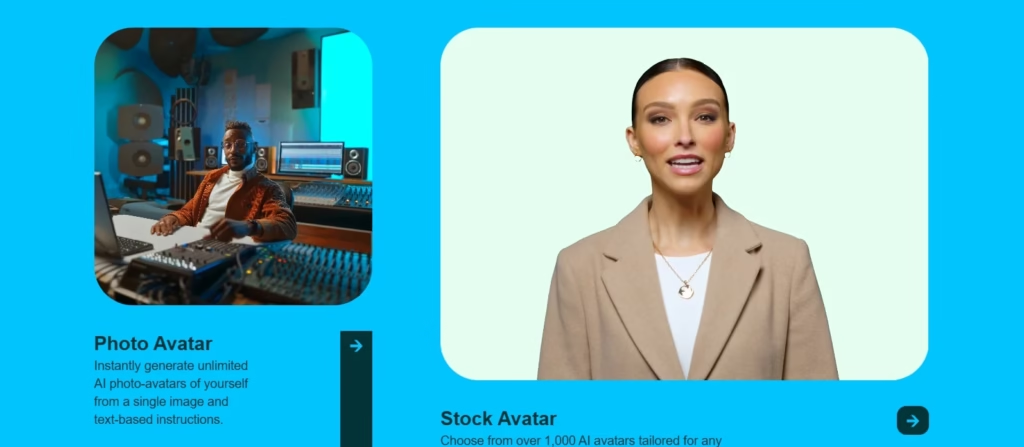
HeyGen’s crowning achievement is its Instant Avatar. Unlike older AI video tools that felt “robotic,” HeyGen uses advanced generative AI to mirror your unique micro-expressions and tone. You can choose from 100+ diverse public avatars or create your own digital twin in under 5 minutes.
2. AI Video Translator
This is a game-changer for global marketers. The Video Translator doesn’t just overlay audio; it actually re-animates the speaker’s lips to match the target language. For creators looking to scale, this is a must-have feature that pairs well with tools listed in our Best AI Tools for YouTube Creators guide.
3. Script Generation & Integration
Don’t have a script? HeyGen integrates with GPT-4 to help you brainstorm. However, for more professional SEO-optimized marketing copy, we still recommend using dedicated assistants like Jasper or checking out the top AI writing tools of 2025.
[Image: Comparison of HeyGen Public Avatars vs. Custom Avatars – Alt: HeyGen AI Avatar library]How to Create Your First AI Video in 4 Steps
Choose Your Avatar: Select from the library of 100+ AI avatars or upload a 2-minute video of yourself to create a custom one.
Input Your Script: Paste your text or upload an audio file. You can choose from 300+ voices across 40+ languages.
Customize the Scene: Add text overlays, background music, and branding elements using the drag-and-drop editor.
Submit & Export: Click ‘Submit’ to render your video. HeyGen typically finishes a 1-minute video in less than 10 minutes.
The Verdict on Quality: Is It Better Than Filming?
In our intensive testing, HeyGen’s 4K output (available on Pro plans) sets the industry standard. The lip-sync accuracy is roughly 95%—the only minor “uncanny valley” moments occur during complex hand gestures.
✅ Pros
- Industry-leading lip-sync technology.
- Instant Avatar 2.0 is shockingly realistic.
- Extensive voice cloning capabilities.
- Great API for enterprise automation.
❌ Cons
- The “Credit” system can be expensive for long-form content.
- Free plan includes a noticeable watermark.
- Rendering queue can be slow during peak hours.
HeyGen Pricing 2025: Choose the Best Plan for Your Content
Free
Ideal entry point for creators looking to test HeyGen’s AI video maker.
- 3 videos per month
- Up to 3-min duration
- 720p Video export
- 1 Custom Video Avatar
- 500+ Stock Avatars
- 30+ Languages
Creator
Unlimited avatar videos designed for solo creators and social media influencers.
- Unlimited videos
- Up to 30-min duration
- 1080p Full HD export
- Voice cloning included
- 175+ Languages & Dialects
- Watermark removal
- Brand Kit access
Team
Supercharged collaboration for marketing teams seeking high-impact content.
- Everything in Creator, plus:
- 4K Video export
- 2 seats included
- Workspace collaboration
- Video draft commenting
- Unlimited Photo Avatars
- Translation script editing
Looking to scale your brand?
For larger organizations, HeyGen offers “Pay as you grow” options to centralize your video assets and automate workflows via API.
HeyGen vs. Synthesia: Which is Better in 2026?
The primary rival to HeyGen is Synthesia. While Synthesia is arguably better for structured corporate training due to its enterprise-grade security and scene control, HeyGen wins for social media and marketing thanks to its superior “Instant Avatar” realism and video translation features.
Pro Tip:
If you need localized video marketing for TikTok or Instagram, HeyGen is the clear winner. If you need internal L&D videos for a 500+ person company, check out Synthesia.
Frequently Asked Questions (FAQ)
Q: Is HeyGen free to use?
A: HeyGen offers a free plan with 1 credit to test the platform. However, videos will have a watermark and are limited to 1080p.
Q: Can I use HeyGen for commercial purposes?
A: Yes, all paid plans (Creator, Team, Enterprise) include commercial usage rights for the videos you generate.
Q: How does the Video Translator work?
A: You upload a video, select the target language, and HeyGen’s AI translates the audio while synchronizing the lip movements of the speaker to the new language.
Final Verdict: 9.5/10
HeyGen is currently the most versatile and realistic AI video generator on the market. If you want to scale your video presence without the high costs of production, this is the tool to use.
Try HeyGen for Free Today